Triggering Cursor and Claude Code From Linear or GitHub Without a Babysitter on Standby
Three cloud paths let teams automate coding work from issue trackers without manual oversight.
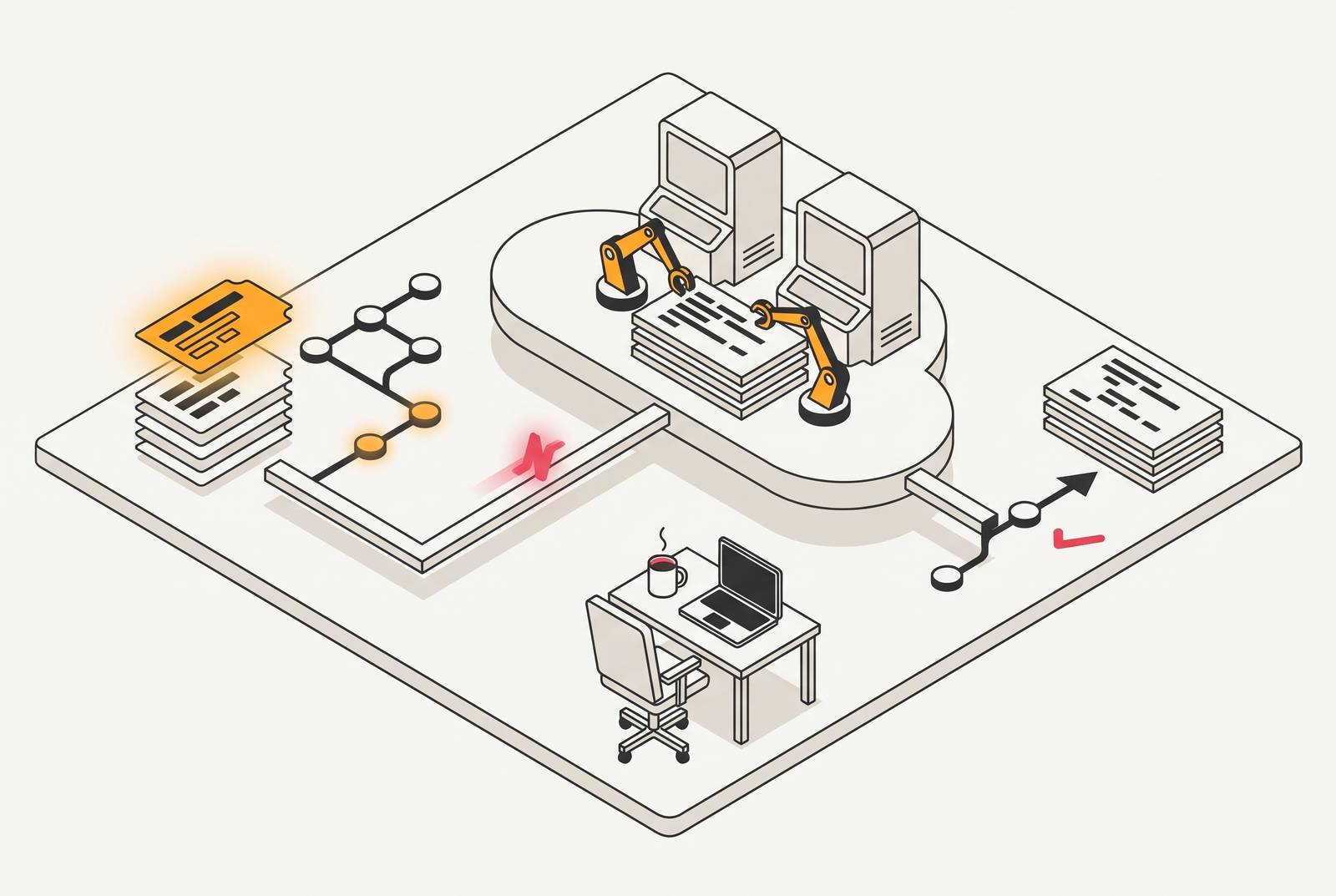
Teams can run Claude Code in the cloud without looking after infrastructure by using Linear’s managed coding sessions, Claude Code on the web, or Anthropic’s GitHub Action on GitHub-hosted runners. Getting from a Linear issue or GitHub event to a reviewable pull request without supervision requires more than hosting. The workflow needs a trigger that works reliably, an execution environment that can run on its own, and a way to bring results back to the team’s existing review process.
Why "unattended" is harder than it looks, and what actually has to be solved
Installing an app or connecting a webhook establishes the entry point for a delegation workflow. An agent can start successfully and then pause for clarification that nobody is available to provide. It can also finish a change without putting the pull request where a reviewer will find it.
Work is unattended when it can keep moving until review without a person stepping in. Human accountability remains necessary, but continuous supervision should not be. For that to work, the agent needs scope and success criteria it can follow on its own, plus a place to send the results of both successful and failed runs. The system therefore has three layers to solve in order, namely the trigger, the context and execution environment, and the routing of results.
The trigger options available today for Linear and GitHub, and what each one actually requires
The trigger determines who can start work and whose environment executes it. Linear’s coding sessions run in a Linear-managed secure cloud environment, with no runner or workflow file to maintain. A Linear owner or admin who has GitHub organization owner access turns them on under Settings → Features → AI & agents → Coding sessions. They are available on Free, Basic, Business, and Enterprise plans, consume AI credits, and exclude legacy plans.
Anthropic’s Claude Code GitHub Action executes each run on a GitHub-hosted runner and consumes Actions minutes. The workflow file defines the automation. Claude Code on the web offers a separate cloud-session path that can watch a PR and respond automatically to CI failures and review comments after auto-fix is enabled. Sessions can start from the browser, desktop or mobile app, the terminal through claude --cloud, or a scheduled task. This path is available on Pro, Max, and Team plans, and to Enterprise users with premium seats or Chat + Claude Code seats.
Cursor’s native Linear delegation starts through an @Cursor mention and resolves the repository from issue metadata. Resolution follows a defined order, using [repo=owner/repo] in the issue, a “repo” issue label, a “repo” project label, and finally the dashboard default. Cursor Automations also connect GitHub events to agent runs without YAML, through configuration in the dashboard or Agents Window. That configuration is not version-controlled. Separately, Linear’s Codex integration is available to ChatGPT users on Plus, Pro, Business, Enterprise, or Edu plans.
The Cyrus and Hookdeck CLI route predates these native options. Hookdeck provides a secure tunnel from a public URL to a local process, while Cyrus receives the Linear webhook and spawns Claude Code. This requires persistent processes managed through pm2 or an equivalent, and the target machine must be online when the event arrives or the run is missed without retry. Teams adopting this route now should weigh it against managed sessions or the GitHub Action, while the open Claude Code GitHub issue requesting native Linear integration shows that the standalone integration landscape is still moving.
What the agent needs to work without asking questions: context, environment, and guardrails
A working trigger cannot compensate for an incomplete specification. The agent begins with the issue title, description, comments, and linked references, so those inputs must establish scope and the intended result. Linear’s documentation describes the ideal input as “a well-scoped issue” with “clear outcomes and constraints.” Acceptance criteria belong in the issue body. Without them, the agent can stop before the intended outcome or continue refactoring beyond the requested change.
The runtime must be equally explicit. Linear coding environments let admins configure runtimes and specific versions, including Node.js, Python, Ruby, Go, PostgreSQL, and Redis, together with environment variables, a prepare script, files at relative paths, and repository guidance. Each repository can belong to only one active environment, and archived environments cannot start new sessions. Environment secrets support private registries and authenticated services. Although they are not visible to the agent by default, anyone who can run a session can see them, so they should be treated as development-time secrets.
For the GitHub Action, equivalent configuration lives in the workflow file and Actions secrets. An API key secret set at the organization level can serve several repositories, so teams do not have to manage a separate secret for each repository. Configuration alone does not establish success, however. The agent must be able to run the test suite and linter, with passing results defined in the prepare script or custom guidance as the completion condition. The agent’s own assessment is not a substitute for external verification.
Verification can extend beyond command output. Linear sessions can start local applications, use browser automation, and capture screenshots or recordings that appear with the diff for review. Git worktrees provide a separate form of protection by giving concurrent sessions their own directories and branches. Changes remain contained within each working tree. The worktree diff then records the changes made by that session, without mixing them with another session’s unfinished work.
A session that processes successive issues accumulates earlier work that can distort its reasoning about the next task. The recommended boundary is one fresh agent session per issue. In a bash-loop pattern, each outer iteration invokes the CLI with a fresh prompt file. That file supplies standing guardrails, including one issue per session, never breaking main, and what to do when blocked, rather than relying on instructions retained from previous work.
Routing results back: PR, status, and notification to where the team already looks
For non-native paths such as the GitHub Action or a self-hosted bridge, Linear status writeback is not automatic. It requires an MCP connector that the agent is instructed to use, or explicit prompt instructions to post a comment and move the issue’s status through the Linear API. Cursor’s cloud agent creates the PR and links it through the Linear integration, with the branch name connecting the PR to the issue.
Delegation does not transfer ownership away from the team. Linear keeps the human teammate as the assignee while the agent acts as a delegate. This distinction preserves accountability after execution ends. A Slack notification can then put the PR link in the channel the team already monitors, creating a review queue without making Slack the primary work record. For self-managed bash-loop orchestration, a webhook message can be included in the prompt file’s completion instructions.
Slack-based requests are a separate entry point from those completion notifications. Claude Tag, in public beta on Claude Team and Enterprise plans, takes requests in channels and charges them to the organization usage balance. The older Claude Code Slack bot opens a web session from an @Claude mention for Pro, Max, and Ultra accounts in workspaces not connected to Claude Tag. Neither interface removes the need for a clear PR destination. The notification is useful because it directs attention to the reviewable result.
Linear’s Settings → Usage & limits exposes coding-session spending and workspace spend limits. Amazon CloudWatch coding agent insights, launched July 20, 2026, collects OpenTelemetry telemetry from agents including Claude Code, Codex, and GitHub Copilot, with views of token spend, commit throughput, pull request velocity, and cost-to-output ratios by model. Useful per-run measures include acceptance without modification, substantial human rework, the share of well-scoped issues delegated, and time from delegation to merged PR. Teams can use those measures to compare harnesses on more than how quickly they open a pull request.
How to run Claude Code in the cloud, and choose between Cursor, Codex, and a multi-agent platform
The harness decision turns on trigger flexibility, environment control, auditability, and cost. No single option dominates all four. Claude Code’s standalone Linear path requires an MCP connector, a GitHub issue feeding the GitHub Action, or a self-hosted webhook bridge. That is distinct from Linear’s managed coding sessions using Claude Code. Claude Code also has --sandbox with separate filesystem and network isolation, so teams can turn off filesystem isolation through sandbox.filesystem.disabled while keeping network isolation on.
Linear Agent runs the full trigger-to-PR loop inside Linear without infrastructure outside it. Assignment or mention starts the session, the PR appears in the Reviews tab, and status moves automatically. Model choice does not require a workflow rewrite. Supported choices include Claude Opus 5.5, Claude Fable 5, Claude Opus 5, Claude Opus 4.8, Claude Sonnet 5, GPT-6 Sol, GPT-6 Luna, GPT-5.6 Sol, GPT-5.5, GPT-5.4, GLM 5.3, and GLM 5.3 Flash, with Auto tracking GPT-6 Sol. This fits a Linear-centered team seeking no infrastructure maintenance, but execution in Linear’s cloud is a constraint for on-prem or regulatory requirements.
Cursor combines native Linear delegation with dashboard-configured event automation and automatically filters non-development work. Its auditability tradeoff is the location of the automation prompt. Codex, by contrast, has the strongest built-in sandboxing among these harnesses, using OS-level enforcement, filesystem restrictions, and no network access by default.
A multi-agent platform fits workloads with different priorities across issues. For complex changes, how well the task gets done may matter most, while for routine work, cost and speed may matter more. In practice, a platform should have one branch per issue, one session per issue, status that moves automatically, and a named human reviewer.
What breaks in practice, and the operational decisions that keep unattended runs reliable
When verification fails, the session should post a failure comment to the issue and stop. Retry limits belong in the prompt or custom guidance. The run should use the verification result to decide whether to open a PR or report failure. This makes a blocked run visible without requiring someone to watch it unfold.
Successful execution can create a different bottleneck. Agents can open PRs faster than people can review them, leaving completed changes unable to ship. Teams should delegate small, clearly described issues, use Linear’s spend limits and triage rules to control how much work they send, and name a reviewer before they delegate. Existing GitHub permissions and review requirements still govern merging. Branch protection is part of the workflow and must be respected by the agent.
Worktrees prevent sessions from corrupting each other’s working directories, but two PRs can still edit the same file and conflict when merged. Splitting issues by area, using team, assignee, or label filters, reduces that overlap. Starting Cyrus inside a Claude Code session can leak CLAUDE_CODE_ENTRYPOINT and CLAUDECODE into the child process and cause exit code 1, so that path requires a clean shell or pm2 wrapper script.
To audit a change, teams need to keep the instructions that led to it. The GitHub Action has a version-controlled workflow with an Actions run log attached. Cursor Automations instead require manual in-repository documentation of prompts when an audit trail is needed. Across cloud platforms, per-run attribution should identify source, harness, model, credential, and duration. Without that record, the totals for agent activity cannot show which run made a given change or how much that run cost.
The deeper constraint is the quality of the issue itself. An unattended agent exposes ambiguities that a developer might otherwise resolve through conversation, making weak specifications visible in the resulting PR. Workspace-level agent guidance in Linear is the place for standing conventions such as branch naming, commit messages, and testing standards. Individual issues can then concentrate on outcomes and constraints. The lasting process improvement is sharper delegation, because a workflow without a babysitter cannot depend on someone quietly supplying the missing requirements.